Voxcruit Documentation
Voxcruit is an AI-powered asynchronous interview platform built to modernize hiring. Eliminate scheduling conflicts and reduce recruiter workload.
Automated Interviews
Dynamic Q&A based on CV & job. Save interviewer time and screen at scale with AI-driven adaptation.
Resume Parsing
Full profile extraction on upload. Skills, experience, contact details, and education auto-extracted.
Actionable Results
Transcripts, clips, scores & recommendations. Review at question-level or candidate-level instantly.
Quick Start Guide
For Recruiters
Sign Up & Login
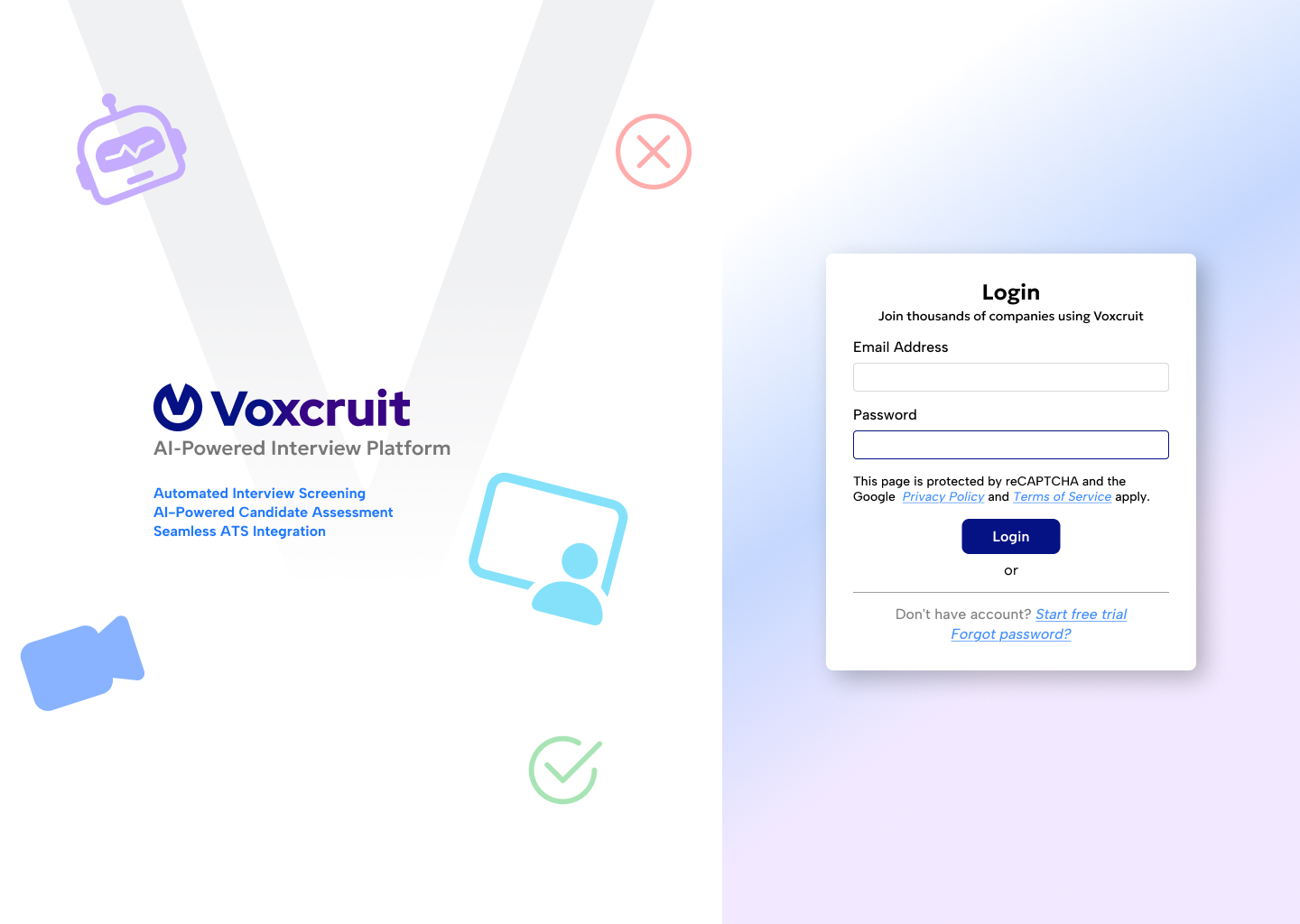
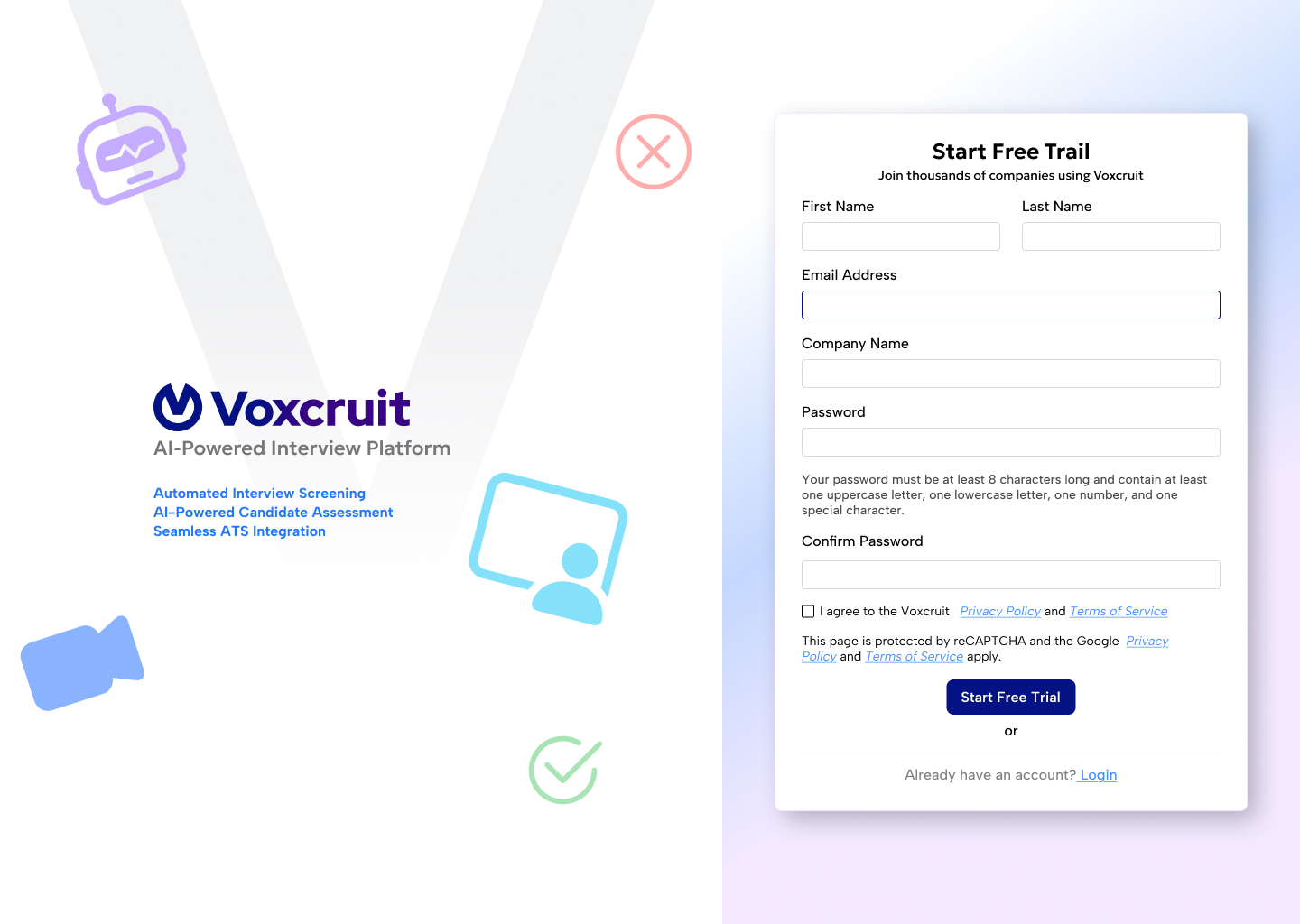
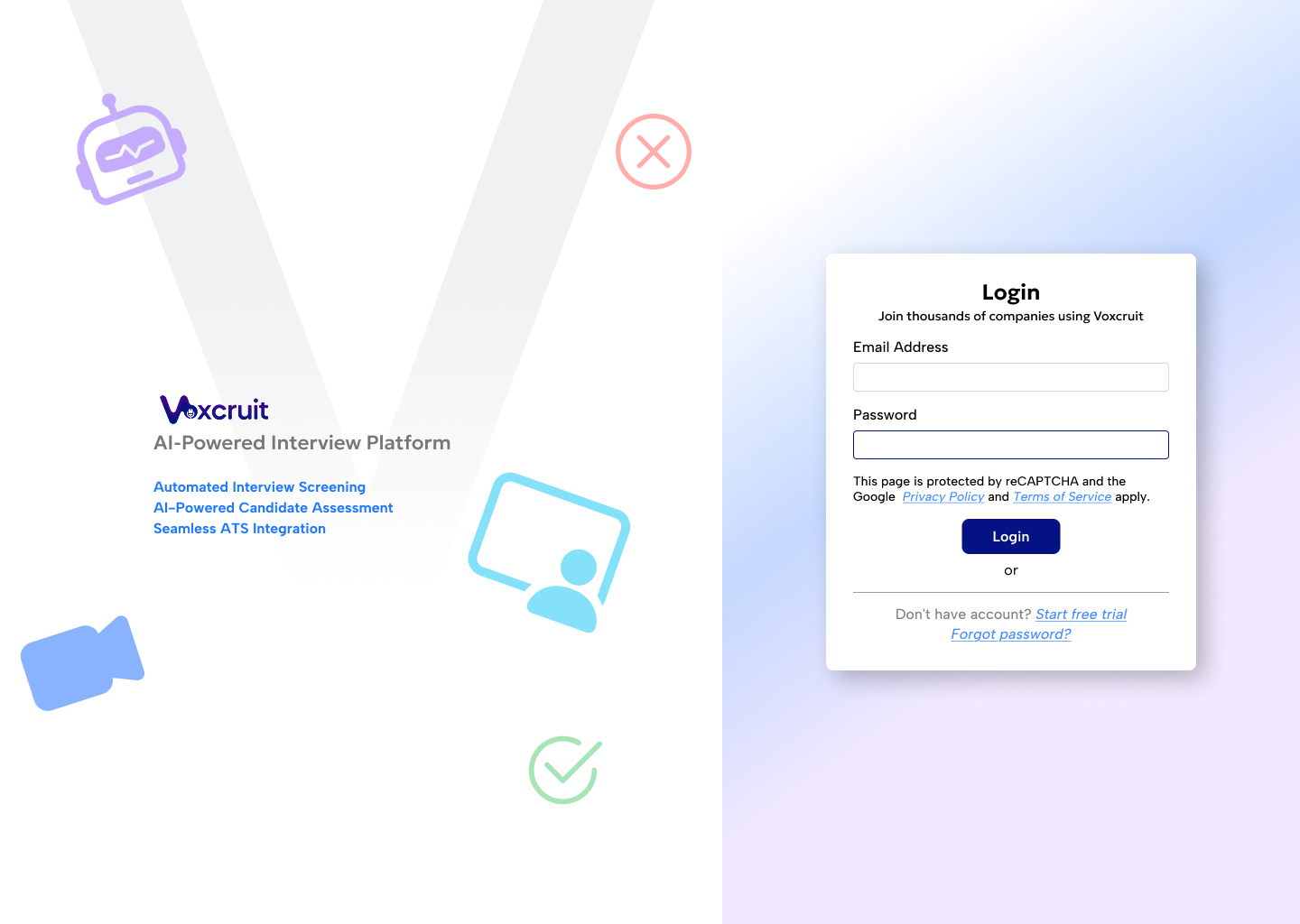
Register with your company email. Verify via the link sent to your inbox. Log in to access the portal.
Create a Job
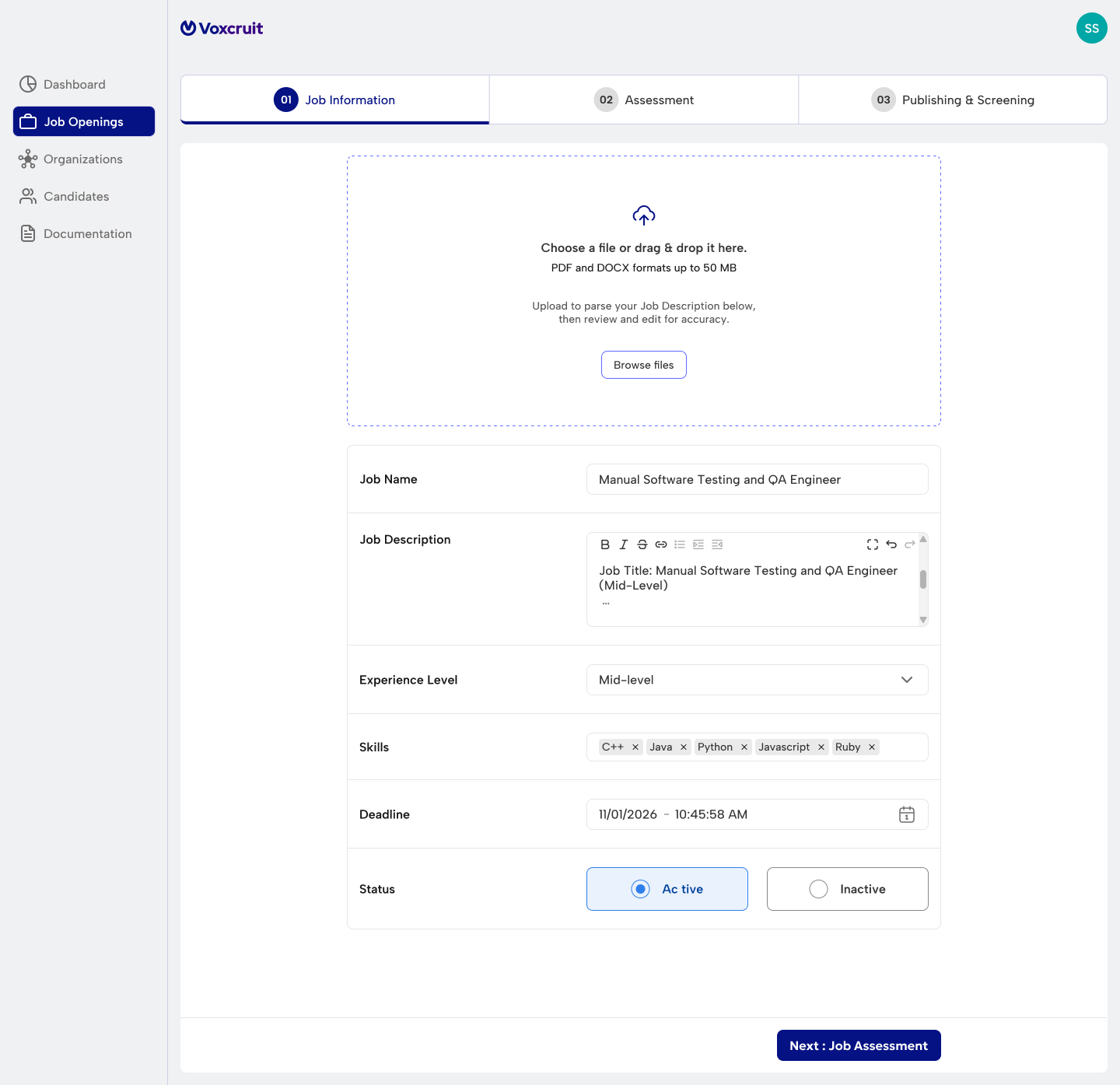
Navigate to "Job Openings" -> "Create Job". Fill in the title, description, and settings.
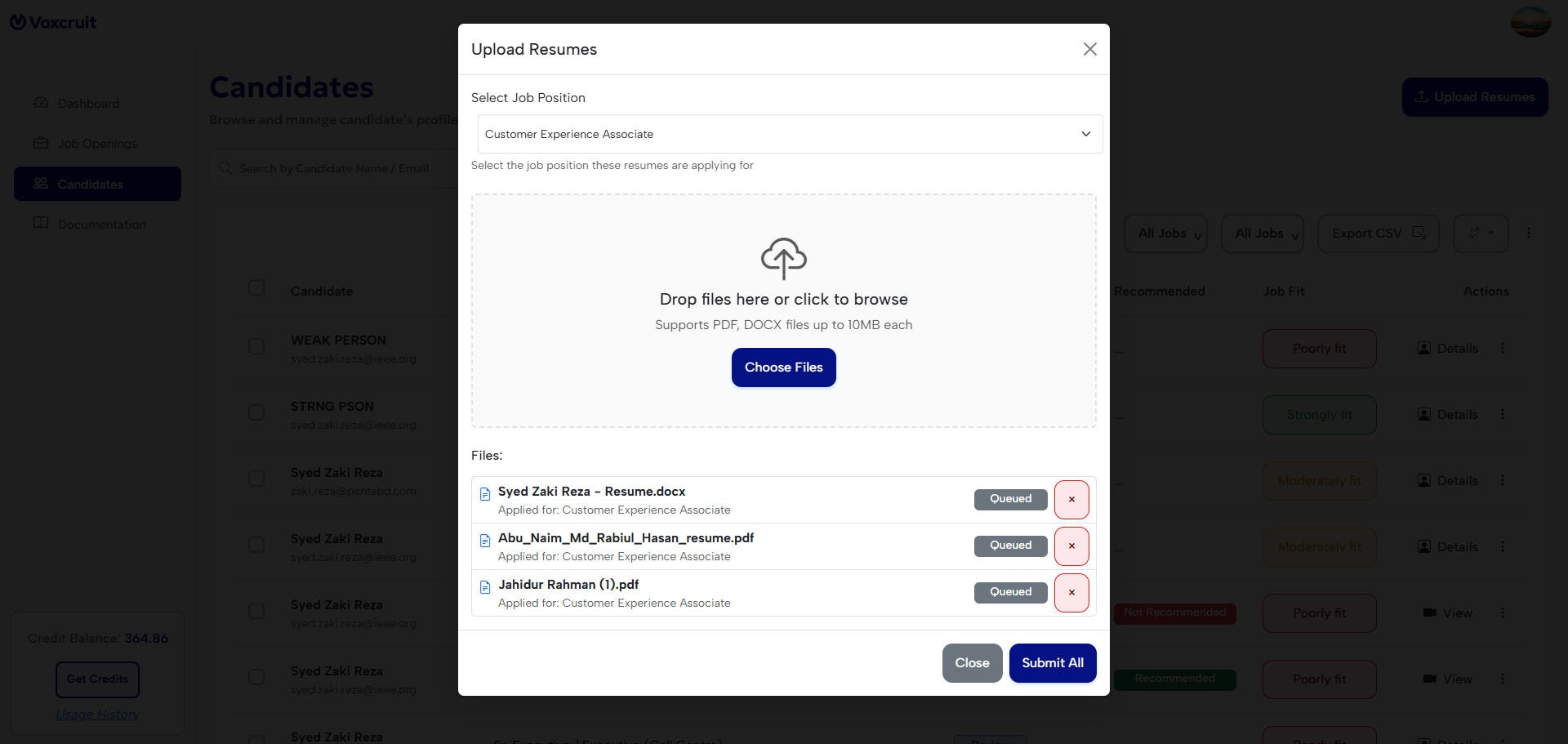
Upload CVs
Go to "Candidates", select the job, and upload CVs (Bulk or Single). The AI parses them automatically.
Send Links
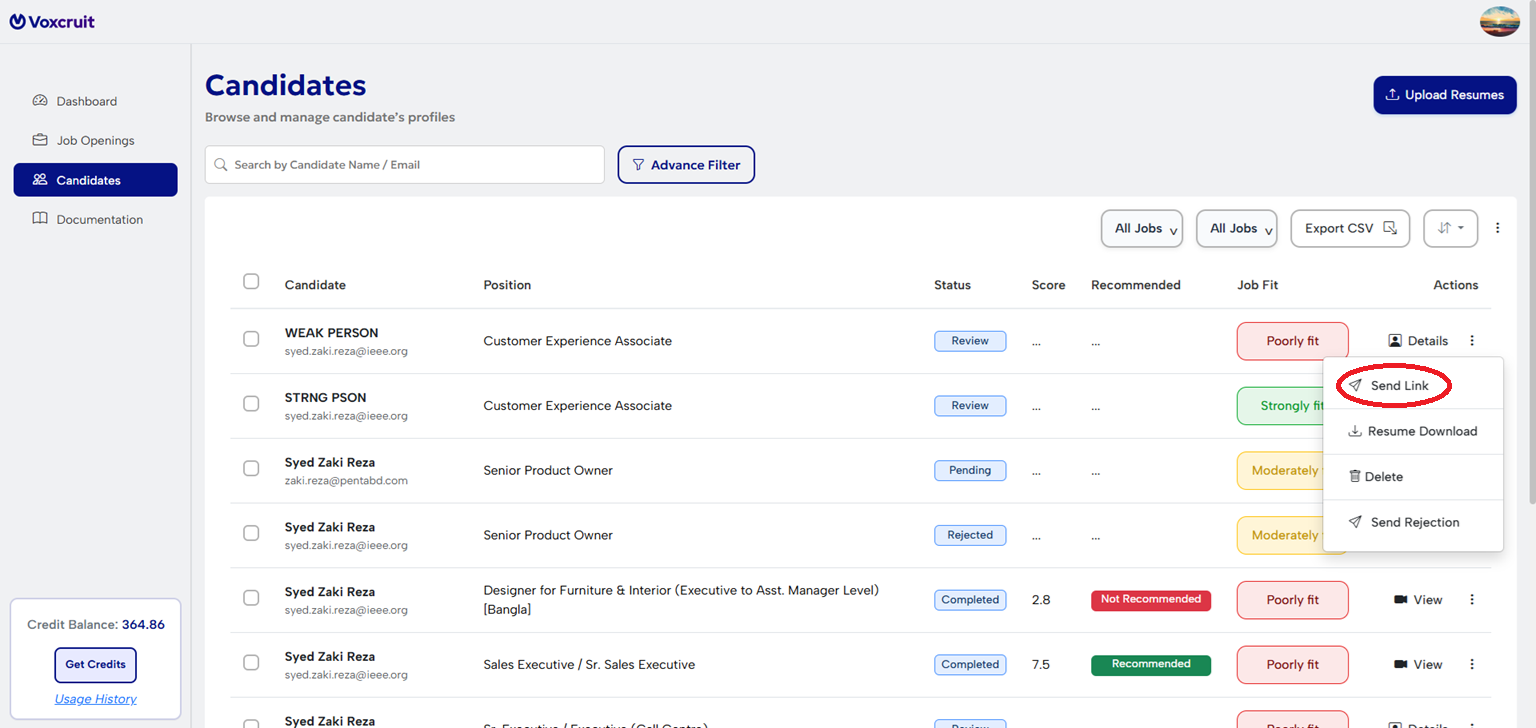
Click "Send Link" for valid candidates. They receive a unique, one-time interview token.
Review Completed Interviews
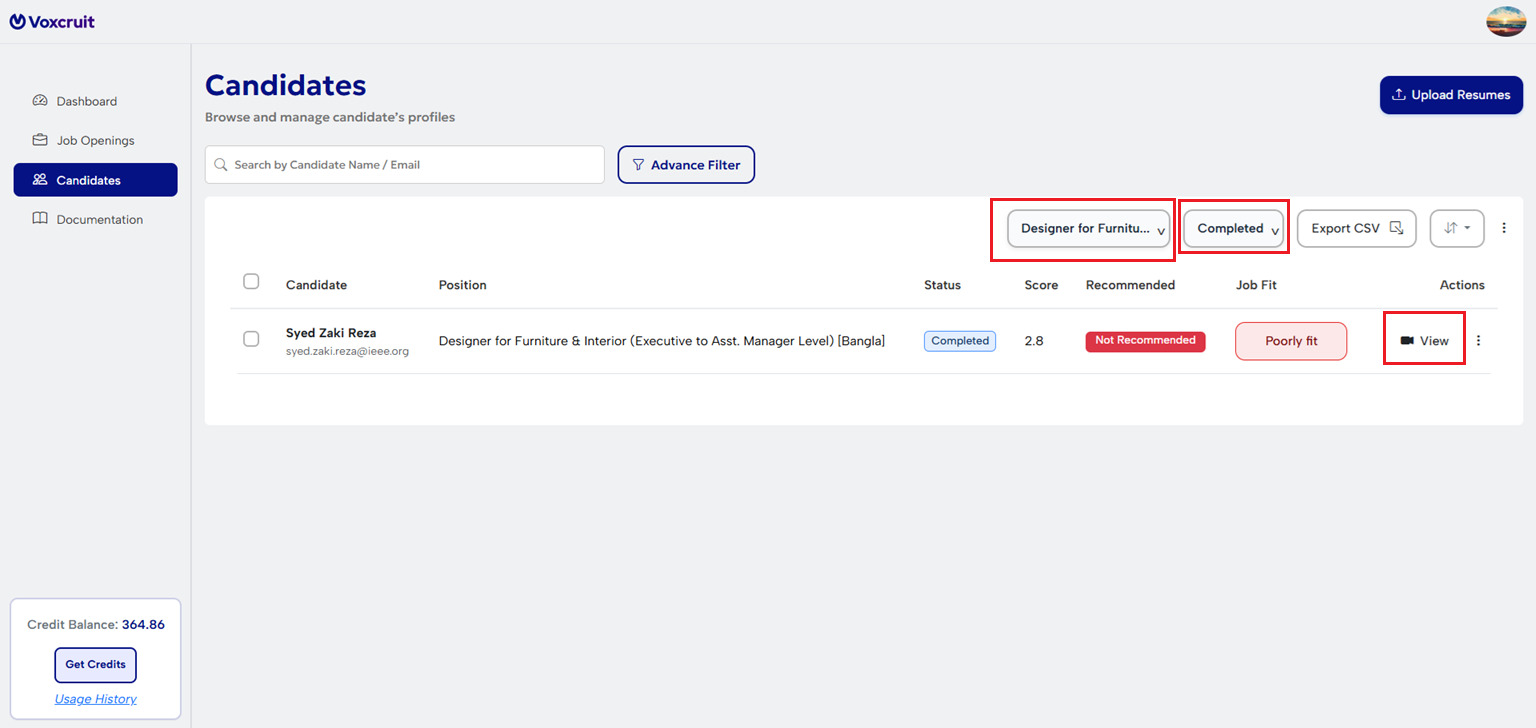
Check Results to view completed interviews, including candidate recommendation, transcripts, videos, and scores.
For Candidates
Receive Invite
Check email for the secure interview link. It is tied to your specific application.
Permissions
Allow Camera and Microphone access in your browser when prompted.
Interview
Answer questions verbally. The AI records responses. No retakes allowed to ensure fairness.
Recruiter Workflow
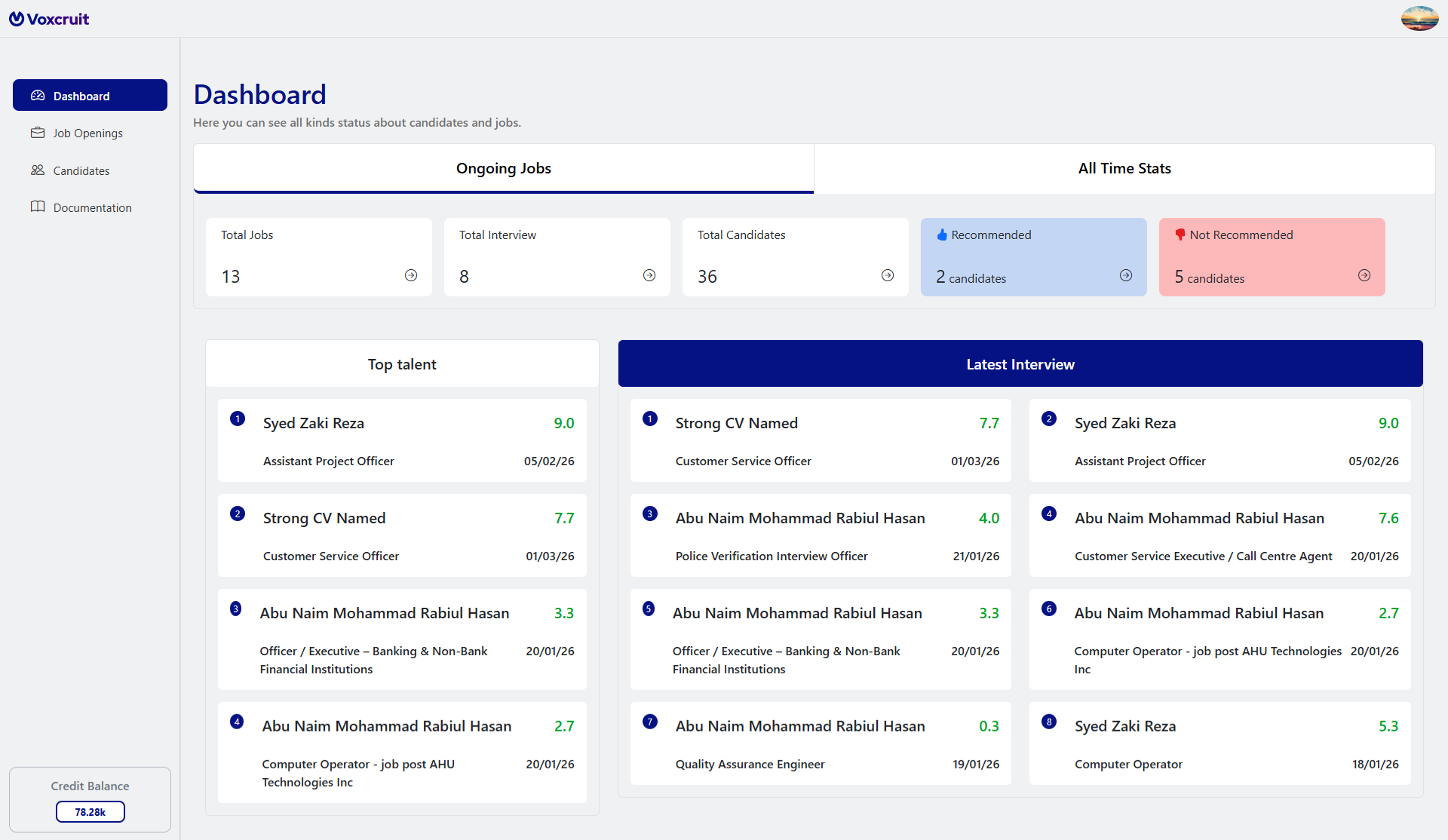
Dashboard
Your hiring summary. Three streamlined views of only the most recent and vital data:
Key Metrics
Ongoing and all-time totals for jobs, interviews, and candidate rankings.
Top Talent
The leading candidate from each of your four most recent jobs.
Latest Interviews
Quick-scan cards for the eight most recent interviewees, including scores and dates.
Job Management
Configure your recruitment pipeline across three core pillars.
01. Job Information
| Job Name * | The official recruitment post title. |
| Job Description * | Full scope and requirements; the primary benchmark for AI scoring. |
| Skills * | Min 5 / Max 10 tags. 3 automated questions will be generated per skill. |
| Experience Level * | Lead/Principal (8+ Years) | Senior (5+ Years) | Mid (3-5 Years) | Entry (0-2 Years) |
| Work Mode & Location | Define Remote/Hybrid status and workplace address. |
| Closing Date * | Links expire after this date. Note: Candidates mid-interview can still finish. |
| Status Logic | DraftPublishedActiveInactive Jobs begin as Drafts. Once Published, use Active/Inactive to control visibility in the Talent Hub. |
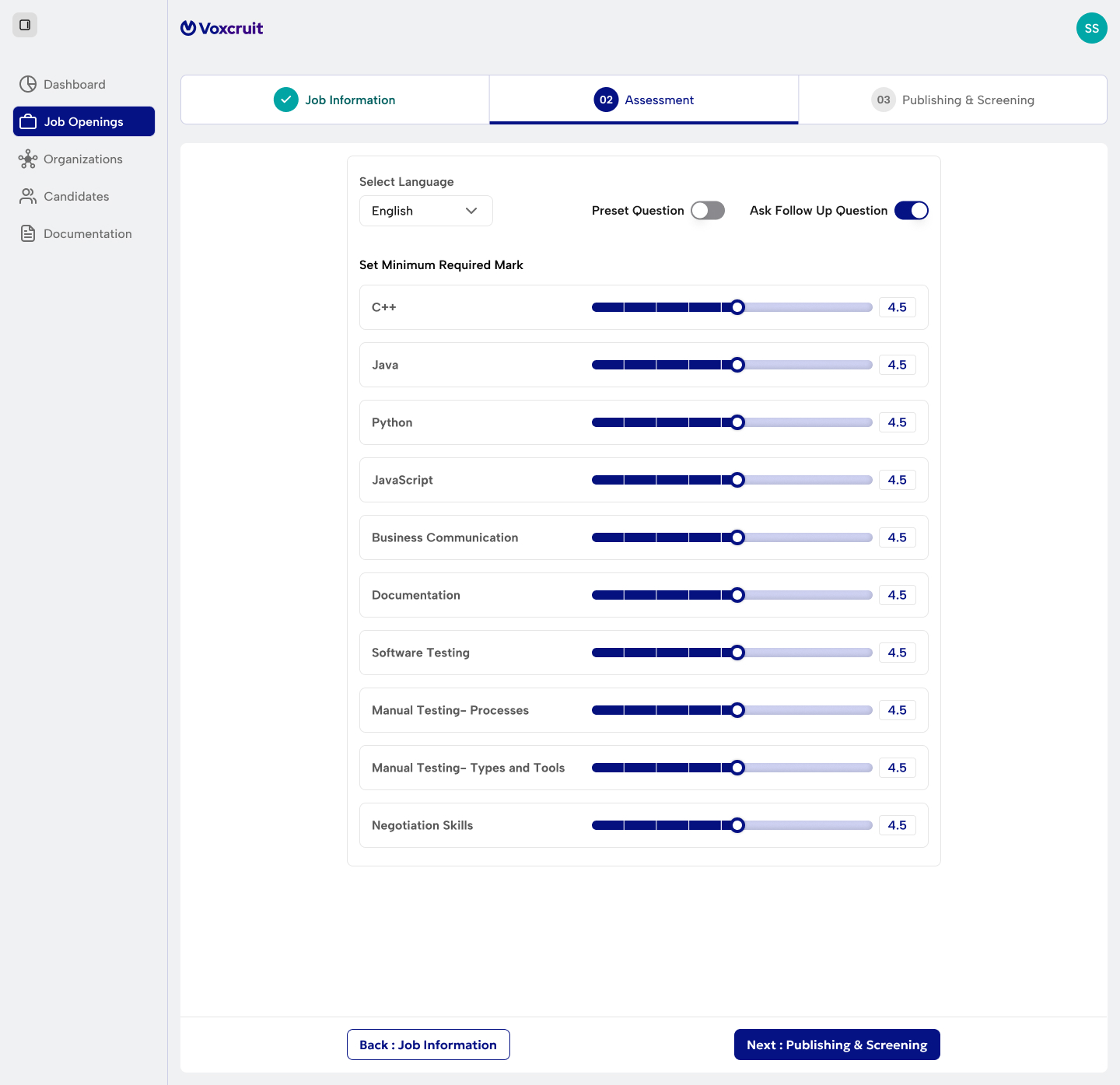
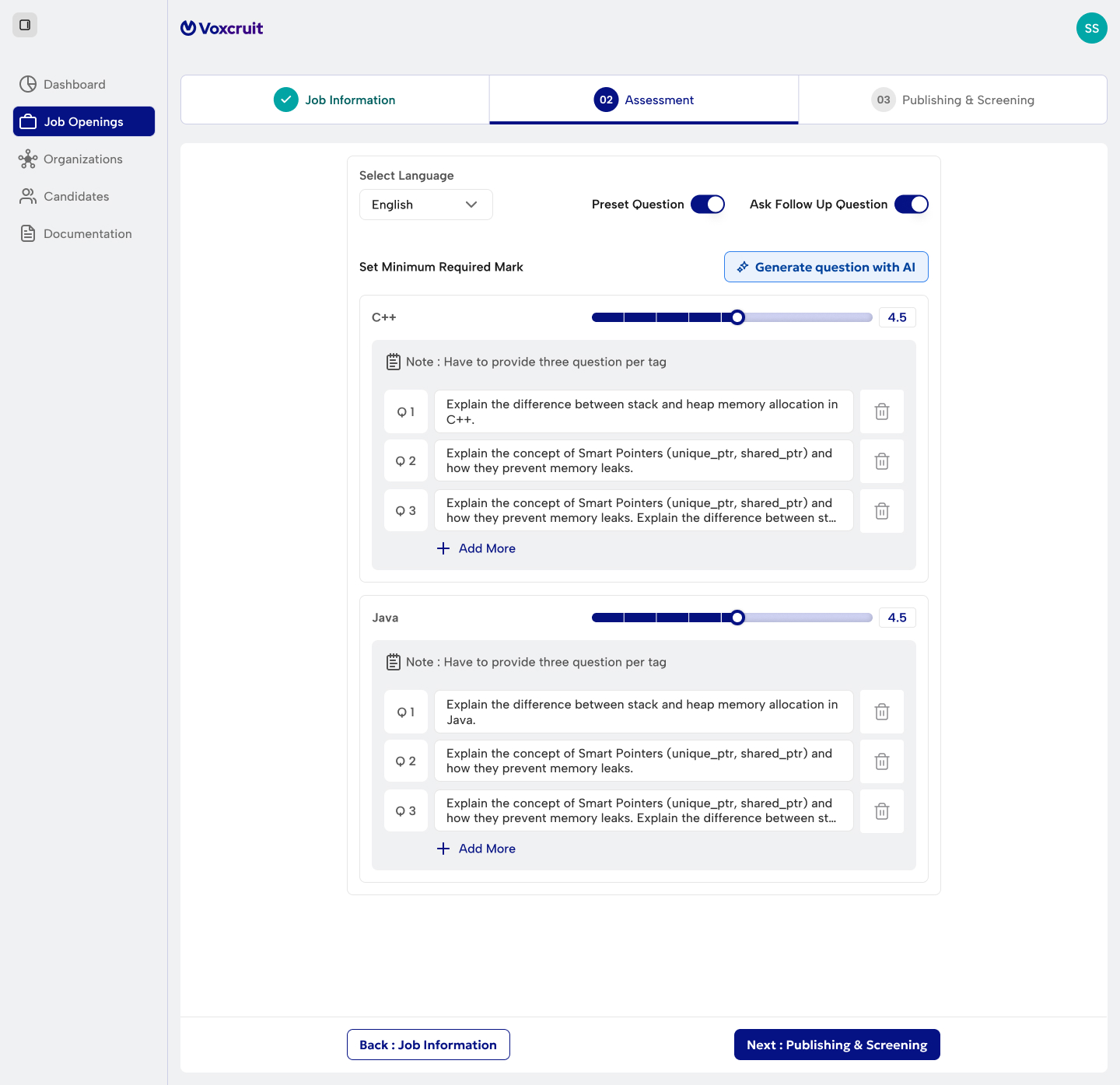
02. Assessment Configuration
Set Language
Defines primary language for voice/text interviews.
Follow-up Logic
When enabled, AI generates deep-dive questions in real time.
Preset Questions
Controls fixed script vs dynamic AI flow:
- Manual Mode: same questions for all.
- AI Generation: use "Generate by AI" to create 3 per skill tag.
- Dynamic Mode: AI auto-generates unique path.
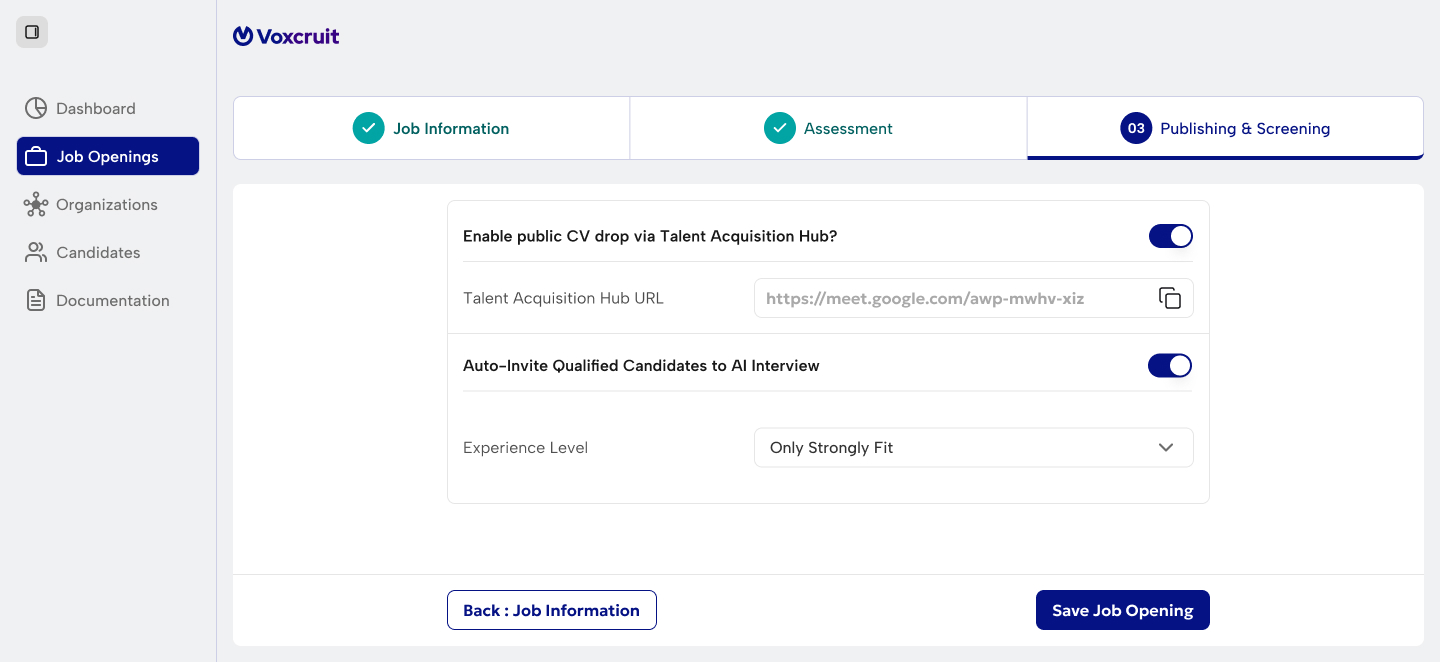
03. Publishing & Screening
Talent Hub
Candidates view requirements and drop CVs. Only visible if Published & Active.
Auto-Invite Engine
AI matches CVs and auto-sends invites based on fit (Strong/Moderate/All).
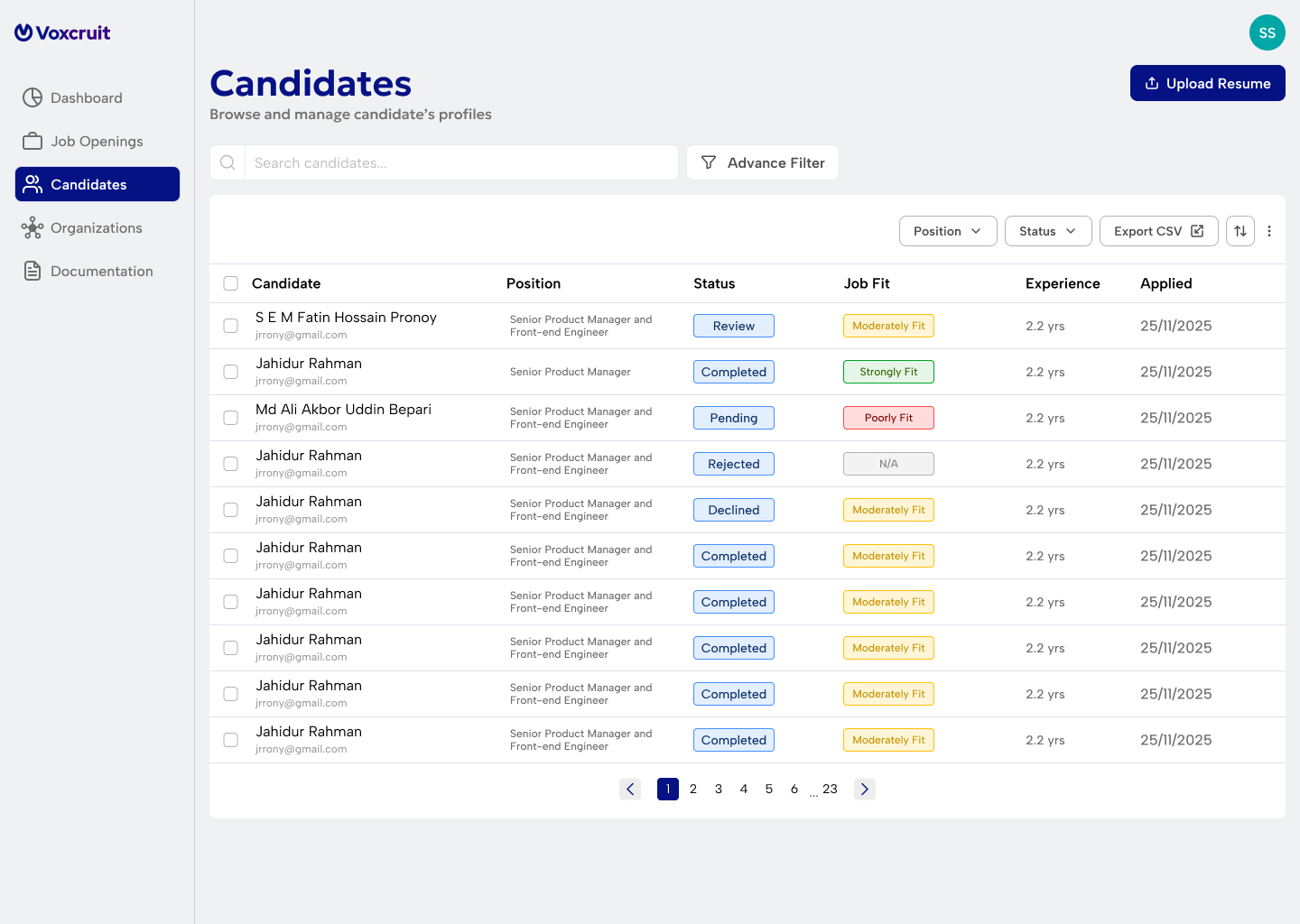
Candidate Management
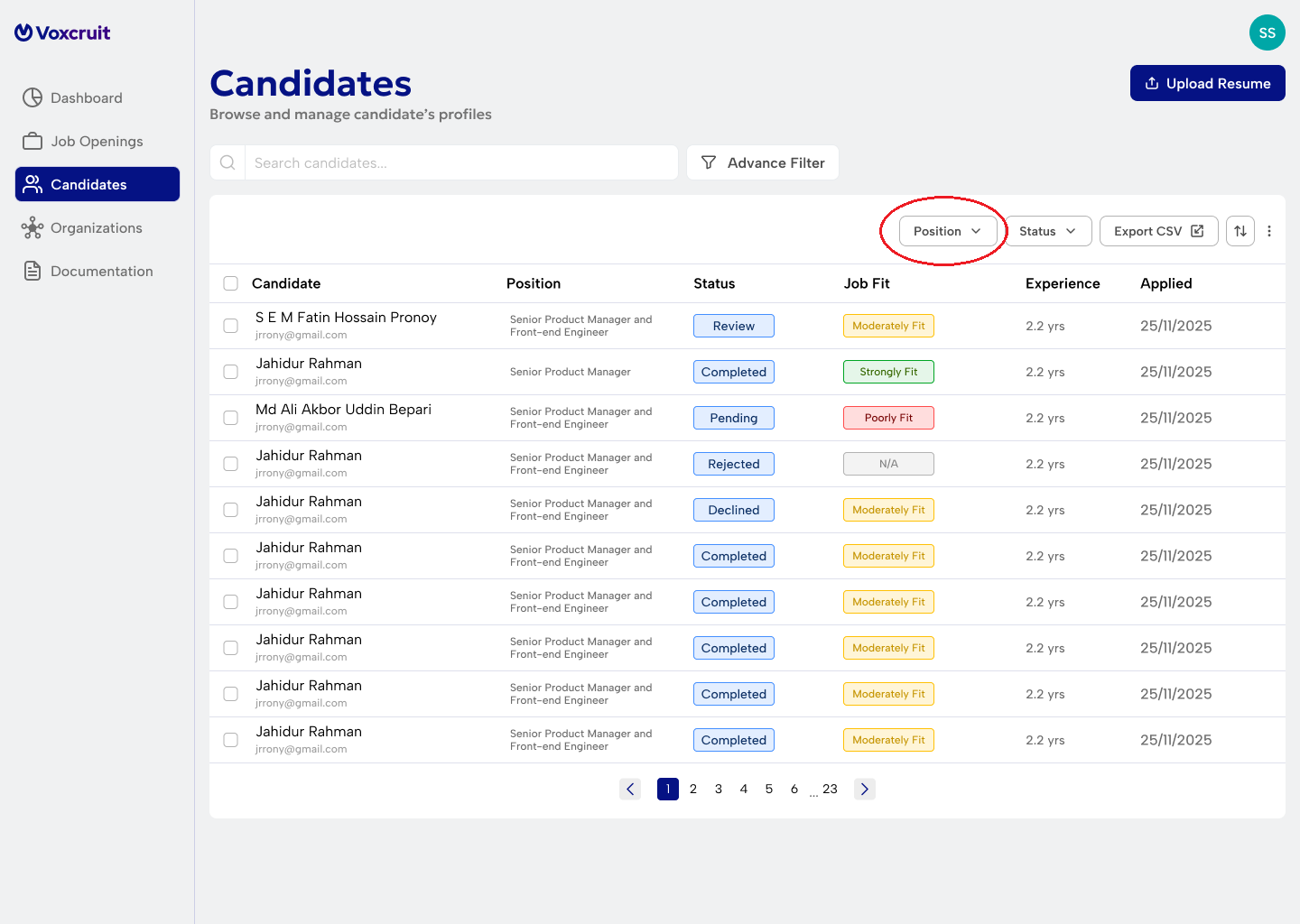
Efficiently manage incoming talent and parsed data.
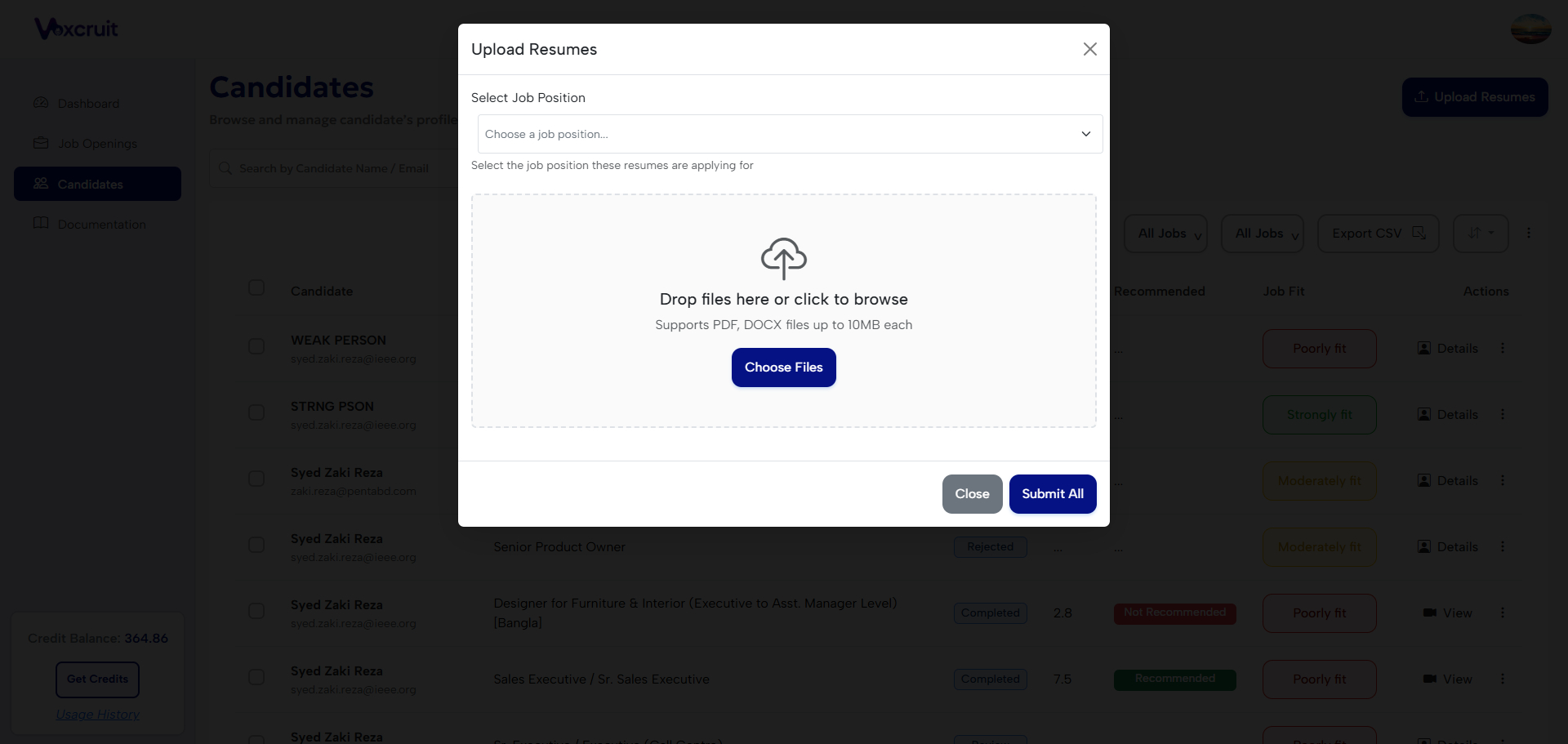
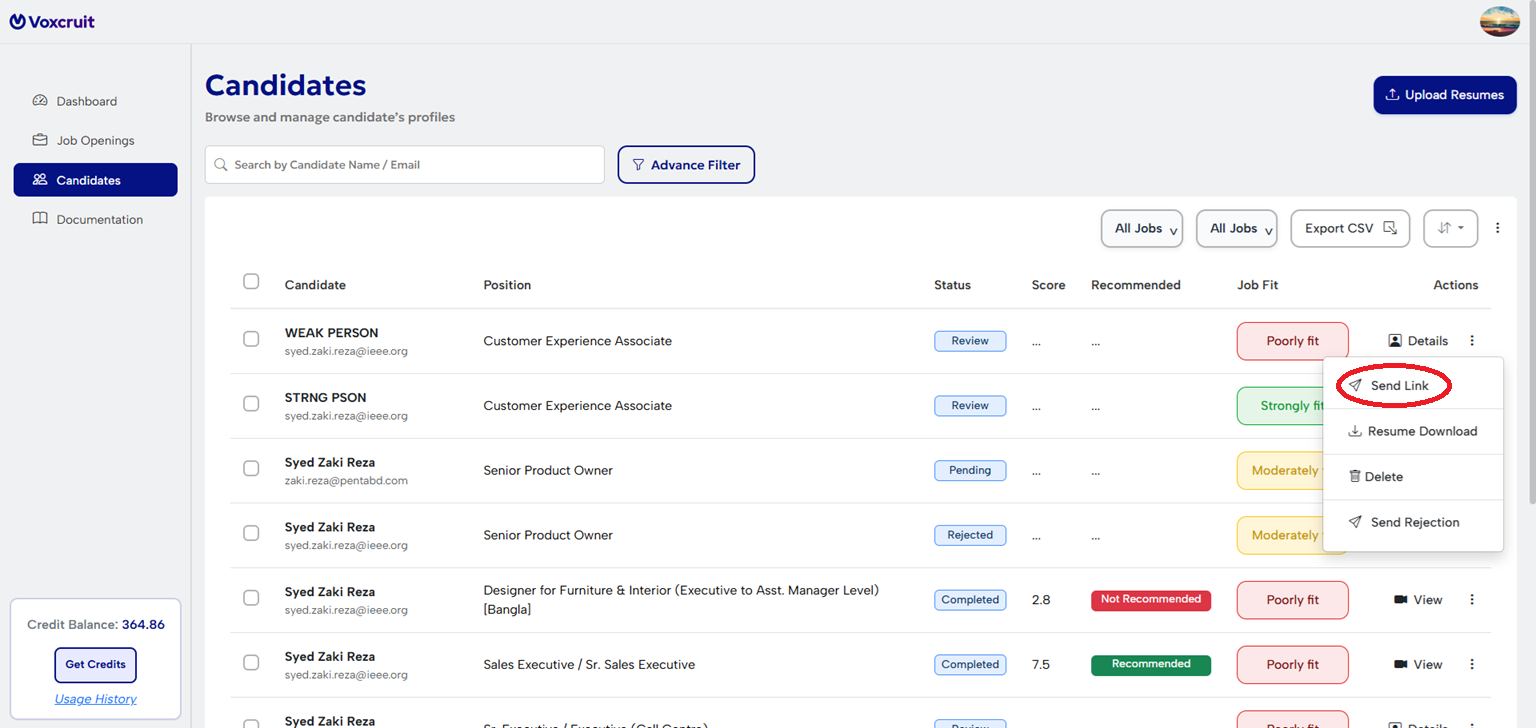
Candidate Status Lifecycle
Profile added; awaiting link.
Link sent; awaiting completion.
Finished; AI evaluation ready.
Adding & Managing Candidates
Generating & Sending Interview Links
Interview Access & Resending
Links can be resent anytime before completion. Each CV is restricted to a single interview session by default.
Results & Scoring
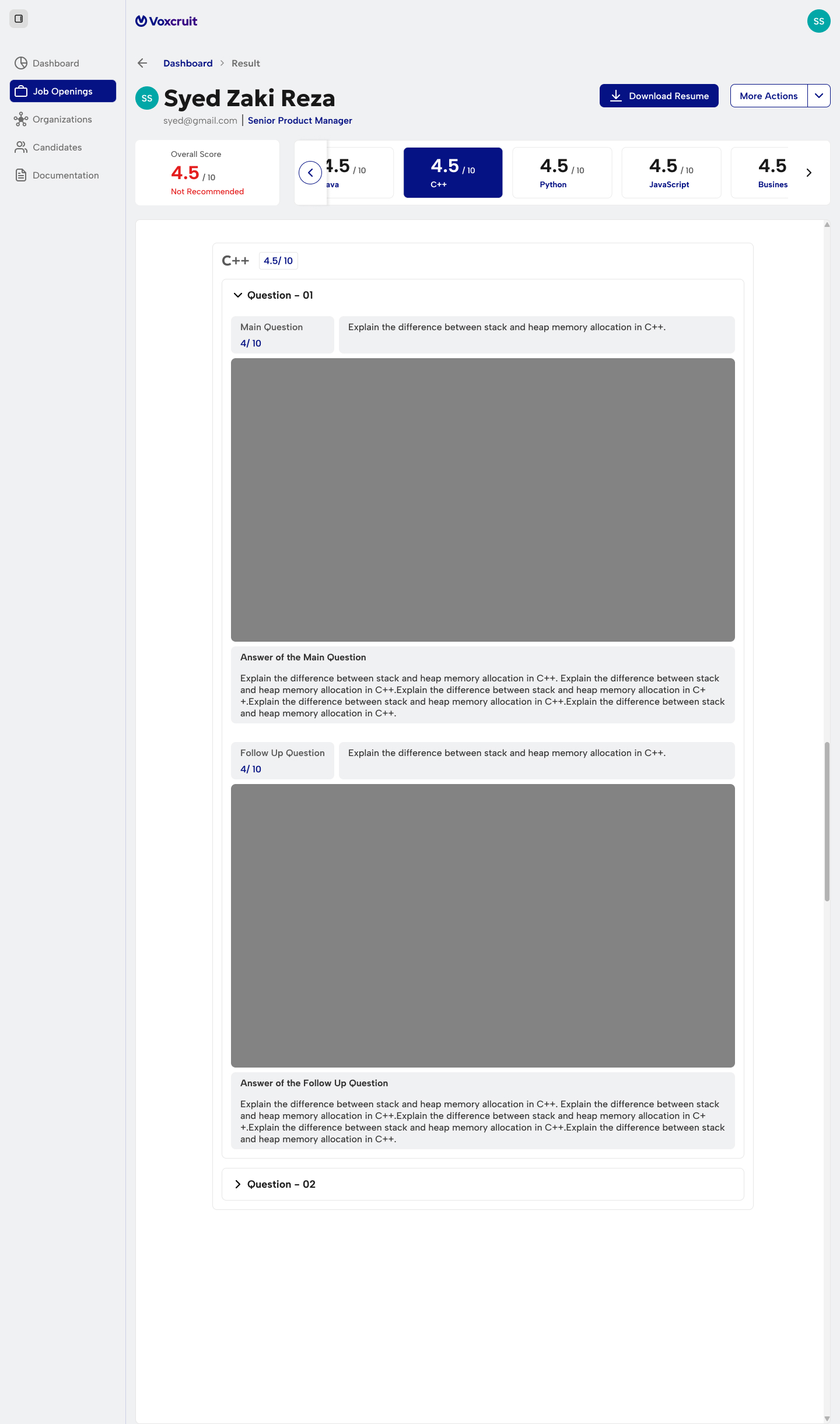
View completed interviews in the "Results" tab. The analysis includes video clips, transcripts, and AI scoring (1-10).
Video Clips
Watch candidate responses.
Transcripts
Auto-generated text of answers.
AI Scoring
Score 1-10 based on relevance, confidence, keywords.
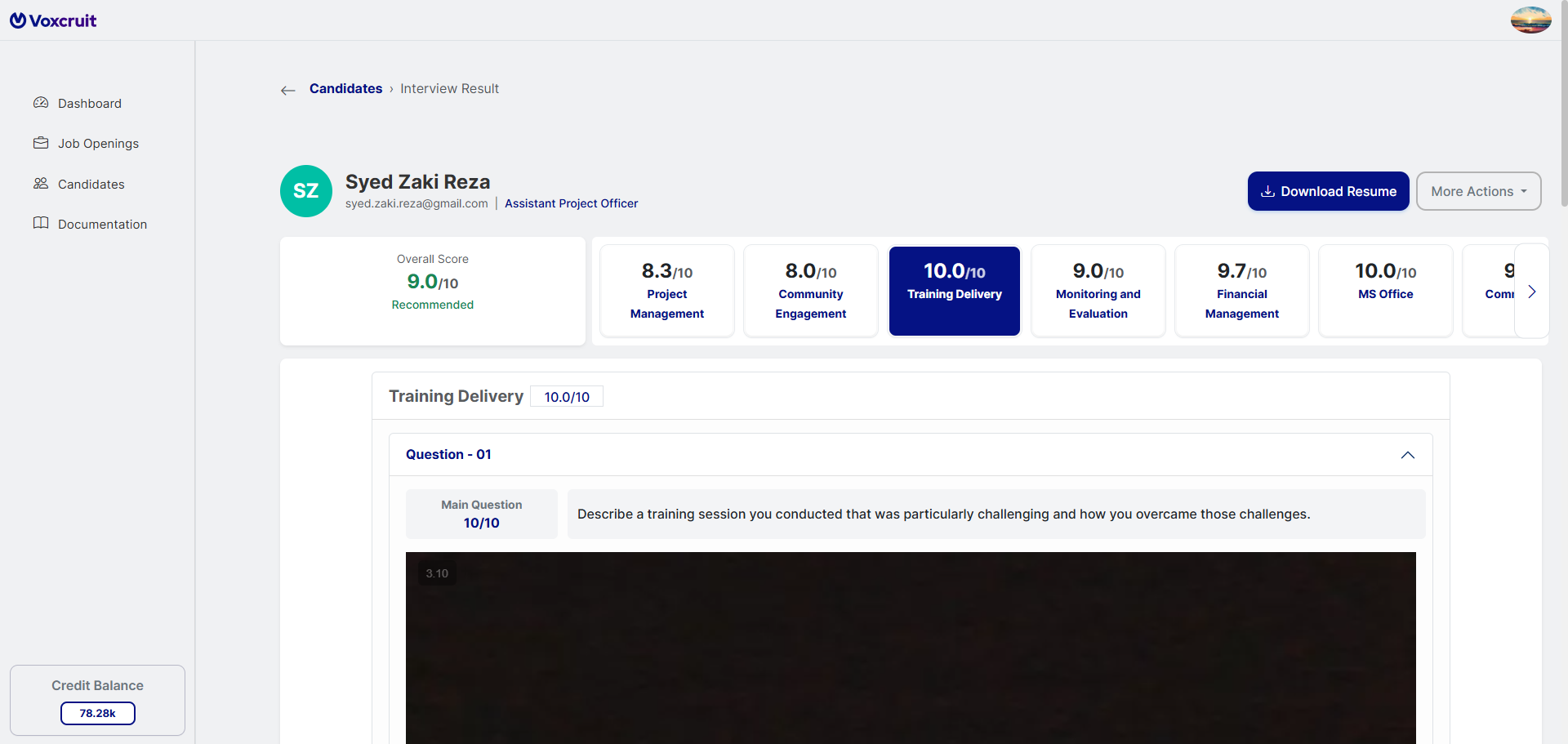
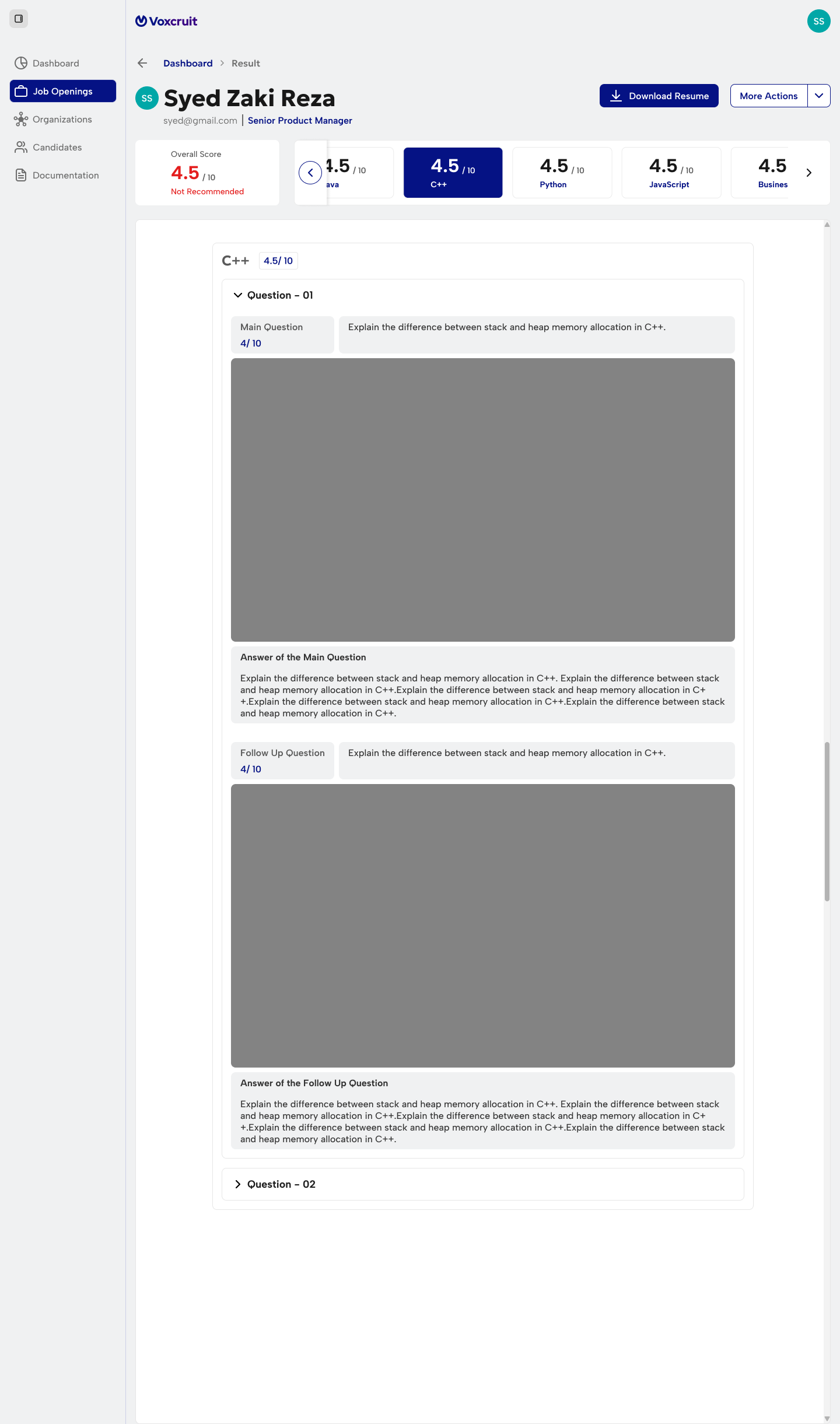
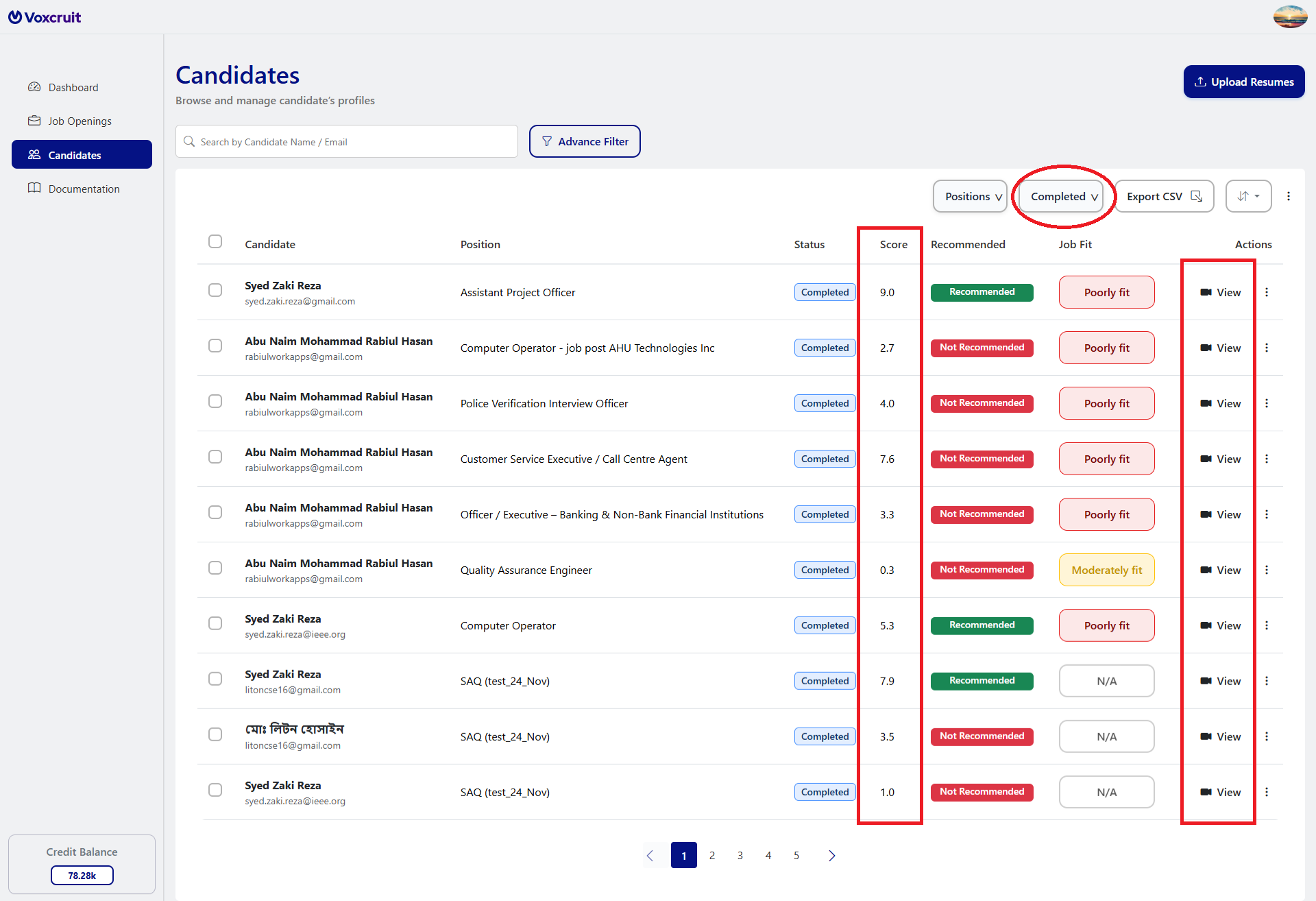
Result Layout Details
- Header: Displays candidate and job details.
- Resume Details: Download, AI summary, interview fitness.
- Questions & Responses: Video, transcript, per-question score.
- Overall Score & Recommendation: Cumulative score, performance summary.
Credits & Billing
Our platform operates on a Credit-Based System to ensure you only pay for the exact AI resources you consume. From trial to enterprise-level hiring, credits provide the flexibility to manage your pipeline efficiently.
How Credits are Consumed
Standard RatesCredits are automatically deducted based on the complexity of the AI task performed:
| Action Item | Description | Average Estimated Cost |
|---|---|---|
| Job Description Parsing | Intelligent PDF/DOCX data extraction and setup. | 5 Credits |
| Question Generation | AI-driven generation of preset, role-specific questions. | 6 Credits |
| CV Analysis | Deep parsing, summarization, and JD-matching. | 12 Credits |
| Full Interview | For 5 skills: 15 questions per skill + 15 follow-ups if enabled. | 60 Credits |
| Note: System supports 5–10 skill assessments. | ||
Start Free Trial
New users receive 60 Credits instantly upon starting a trial. We highly recommend testing the full workflow—from JD Parsing to a Full Interview—to experience the complete AI evaluation cycle.
Requesting Credits
Need to scale? Click "Request Credit" in the sidebar to ask for a specific amount. Our support team reviews these requests promptly to ensure your hiring remains uninterrupted.
Critical Credit Policy
Trial credits are valid for a specific deadline. Important: When a manual credit request is approved, any remaining unused trial credits are wiped out, and your balance will be set fresh to the newly allocated amount.
Refund Policy: Credits are non-refundable once utilized for any processing stage. Once you move past the trial phase, purchased or requested credits do not expire.
Candidate Guide
Preparation
To ensure a smooth interview process, please check the following:
Technical Pre-check
Browser Requirements
Use a modern browser (Chrome, Edge, Firefox, Safari) with the latest updates.
Internet Connection
Minimum 5 Mbps recommended.
Hardware Check
Test webcam and microphone.
System Optimization
Close unnecessary applications and tabs.
Environmental Best Practices
Quiet Environment
Conduct the interview in a quiet space.
Good Lighting
Use good lighting and neutral background.
Camera Position
Adjust camera to eye-level.
AI Interview Process
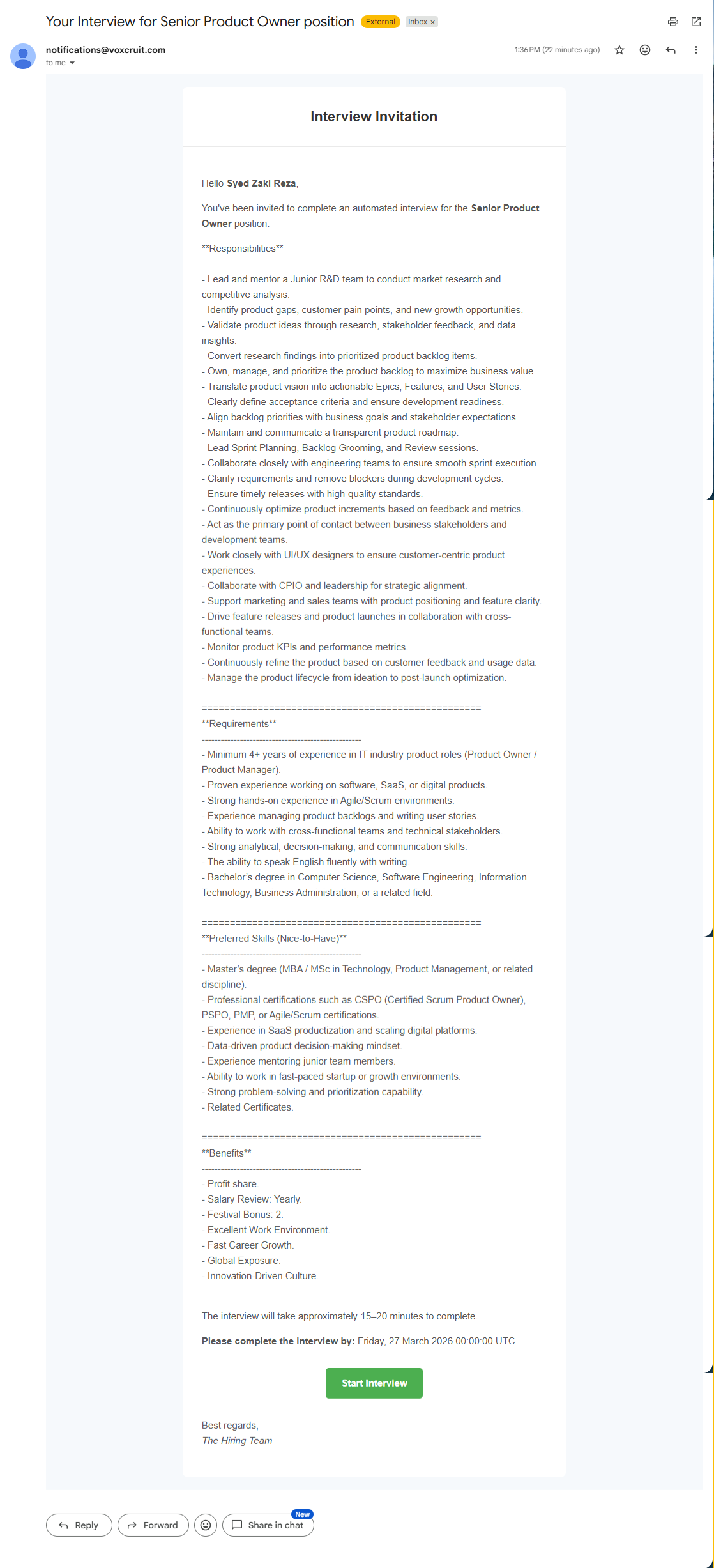
Invitation & Authentication
Secure personalized link via email.
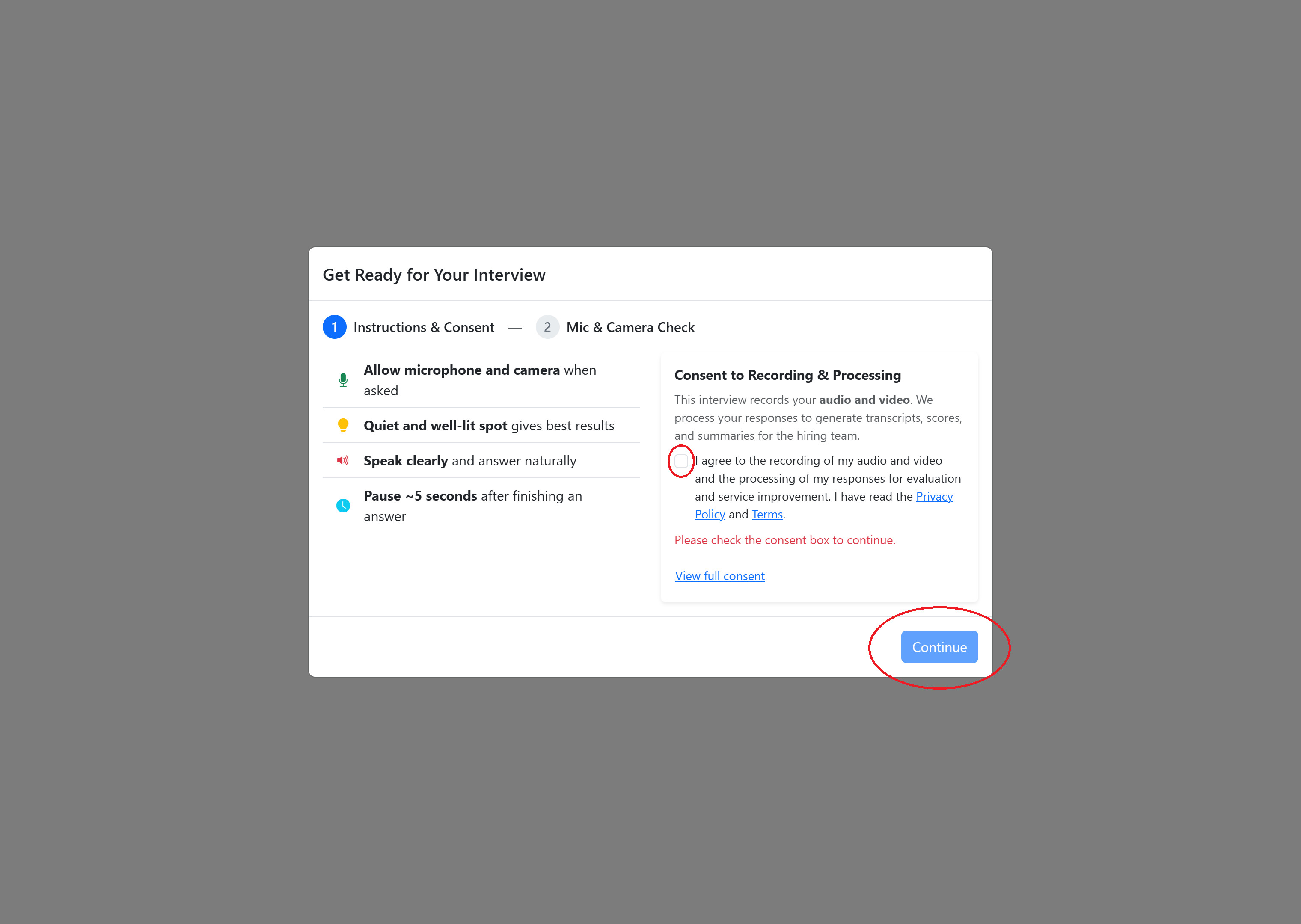
Consent & Hardware Check
Mandatory privacy agreement and system check.
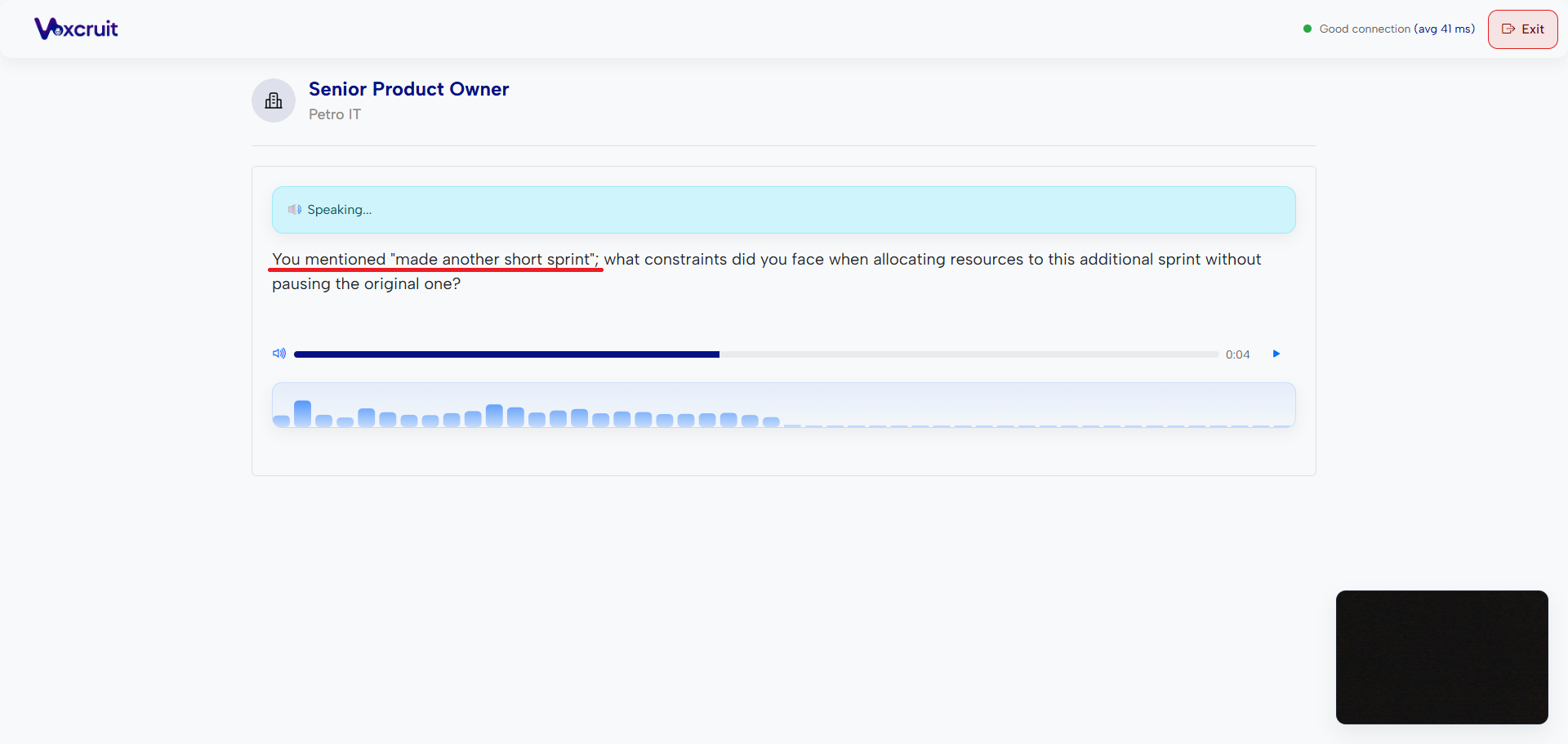
Interactive Interview
AI conducts interview with automated rules (no pauses, 5s silence ends recording).
AI Analysis & Completion
Notifies recruiters only after interview completion.
What is the STAR Method?
The STAR Method (Situation, Task, Action, Result) is a structured technique for answering behavioral and technical questions.
Describe the context.
Explain your responsibility.
Detail the steps you took.
Share the outcome.
Resources & Support
Media References
Visual walkthroughs and interface snapshots.
Full Platform Walkthrough
Platform Walkthrough
Complete demonstration covering job creation, CV parsing, AI interview flow, and recruiter analytics.
Troubleshooting
Most hardware issues are caused by browser-level permission blocks.
- Click the Lock icon in your browser’s address bar.
- Set Camera and Microphone to Allow.
- Verify the correct hardware is selected in device settings.
- Refresh the page to apply new permissions.
Voxcruit is designed with Connection Resilience to save your progress during network drops.
Security & Privacy
Mandatory Consent
Recording begins only after explicit consent.
Encrypted Storage
All data encrypted in transit.
Role-Based Access
Only authorized recruiters can access candidate data.
Best Practices
For Recruiters
- Use multiple questions & skills tags to balance depth.
- Leverage preset questions for plain-field assessments.
- Preview parsed resume summary after CV upload.
- Maintain relevant tagging for better matching.
For Candidates
- Be concise: aim for 45–90 seconds per answer.
- Use the STAR method.
- Speak clearly, minimize background noise.
- Prepare in advance but answer authentically.
Complete Voxcruit Mastery
This documentation ensures a seamless journey from job creation to final evaluation. Following these processes ensures robust, scalable, and fair interviewing.
Streamlined
End-to-end efficiency
AI-Powered
Objective insights
Scalable
High-volume ready
Fair & Secure
Privacy first